Jobscan
JobScan
What is Jobscan?
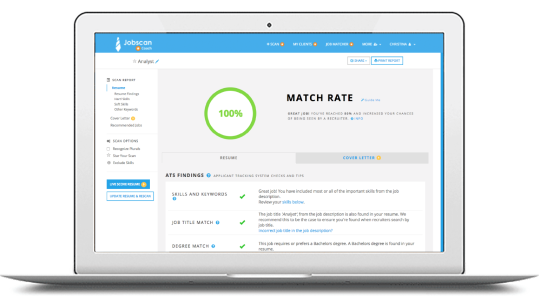
Jobscan is an online platform that helps you compare your resume, cover letter, or LinkedIn profile against a job description to see how well you match — and then suggests how you can improve in real-time.
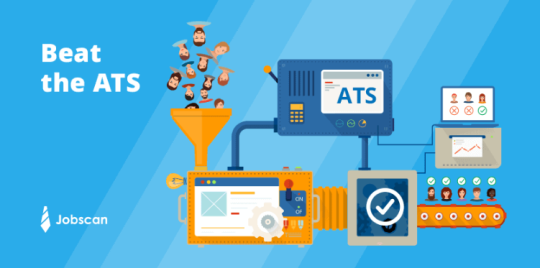
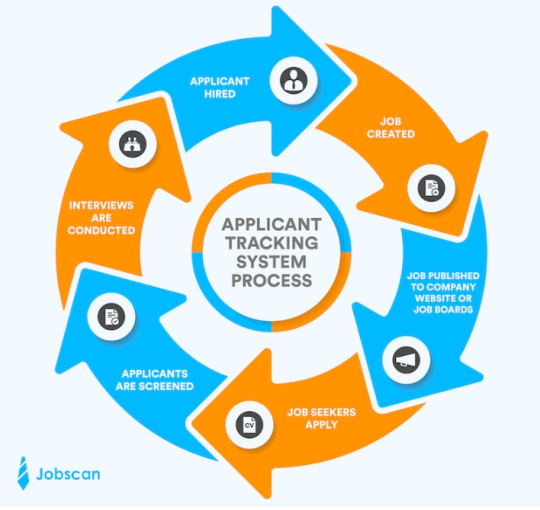
It’s especially useful because many employers use Applicant Tracking Systems (ATS), a form of AI utilized in the hiring process to screen candidates against keywords, formatting, and role-specific skills that employers are actively looking for.
Key Benefits:
- See a “match rate” — how closely your materials align with a job description.
- Identify missing skills or keywords, and adjust your content accordingly directly through the site.
- Improve formatting and compatibility with ATS systems in order to be pushed through to a human recruiter.
More about Jobscan
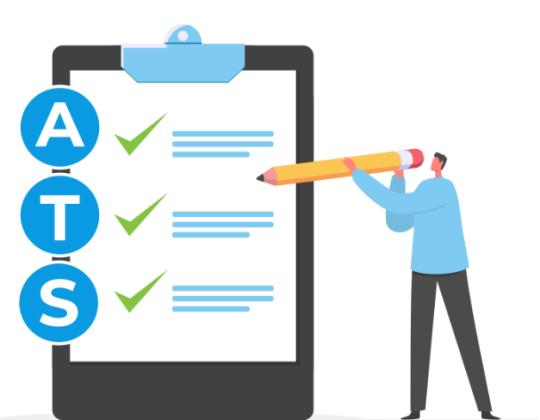
- Many employers use ATS software to screen applications; if your resume doesn’t include the right keywords or formatting, it may never be seen by a human.
- Jobscan gives you actionable feedback — it’s not just “your resume looks OK,” but “you’re missing X skill the employer asked for,” and then follows up with actionable steps to adjust your resume.
- Using Jobscan allows you to tailor your resume or LinkedIn for each job, rather than sending the same document every time — this improves your fit and credibility, and increases your chances of getting noticed and invited to interviews.
Quick Student Tip:
- Before applying, run your resume through Jobscan using the actual job description from the listing. Adjust until you see a better match rate (75-80%) — then submit.
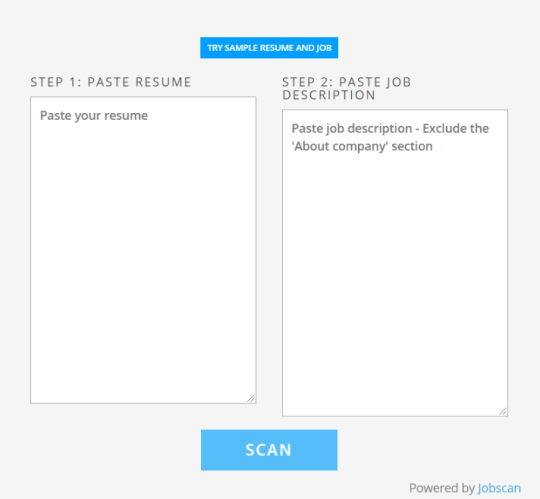
- Paste your resume text or upload your document into the left side of the scan tool.
- Paste or upload the job description you are applying to into the right side of the scan tool.
- Click “Scan.” Review the match report. Be sure to notice:
- Your match rate score; aim for a 75-80% match.
- Keywords and skills you’re missing
- Formatting/ATS-compatibility checks
- Make relevant edits to your resume: add missing skills with the appropriate phrasing, ensure your headings/formatting are clear, tailor your bullet points, and review what the edits Jobscan is recommending in order to boost your overall match score.
Tutorial of Power Edit & Match Rate Report Features:
The Ultimate AI-Powered Resume Editor | Power Edit | Jobscan
Jobscan Match Rate Report Overview | Jobscan Resume Scanner Feature
Cover Letter Optimization
You can scan your cover letter alongside your resume via the “Cover Letter” tab inside a scan report; Jobscan supports AI-generated cover letters or lets you upload one you wrote. AI-Powered Cover Letter Generator | Jobscan
Helpful Resource: Cover Letter Tips from Jobscan.
LinkedIn Profile Optimization
The LinkedIn Optimization feature compares your LinkedIn profile (headline, summary, skills, experience) to jobs you want and suggests improvements. LinkedIn Optimization Overview | How to Optimize Your LinkedIn Profile to Get More Job Interviews
Useful when recruiters search LinkedIn and you want your profile to rank higher and attract attention.
Job Tracker
Track your applications, interviews, offers using a Kanban‐style board inside Jobscan.
Jobscan Job Tracker Overview | Job Search Tracker to Organize Your Job Search
Resume Builder
Jobscan includes a resume builder tool that helps you construct an ATS-friendly resume from scratch.
Resume Builder | Deep Dive
Tips for Making Jobscan Work for You:
- Keep your resume readable: Matching keywords is important — but your resume still needs to make sense to a human when they read it.
- Use your results wisely: A high match rate is great — but also ensure your accomplishments and story shine through. Keywords alone won’t win the job.
- Format matters: Avoid complicated layouts, graphics, or unusual fonts that ATS may not parse. Jobscan helps flag those issues.
- Leverage LinkedIn: After you’ve optimized your resume, update your LinkedIn headline and summary so you present a unified, professional mobile presence.
- Stay organized: Use the Job Tracker feature so your job search doesn’t become chaotic. Document where you applied, status, next steps.
Extra Student-Friendly Tip:
Start early. Optimize your resume and LinkedIn before you have specific jobs in mind — this way you’re ready to apply when opportunities arise.
Helpful Resources, Links, & Guides
Jobscan Tutorial Page: Step-by-step walkthrough of Jobscan’s features aimed to both build and optimize your resume, cover letter, and LinkedIn profile.
Jobscan Video Guides: Short video tutorials of all Jobscan’s tools and features with additional job search insights.
Jobscan Learning Center: Free guides and templates to help you be noticed by employers.
Jobscan Job Search Advice: Explore Jobscan’s articles with insider knowledge intended to prepare you to tackle your career development needs.